Request a new pillar topic
Purpose
Add a new top-level editorial pillar safely. A pillar is not just a category: it can affect the approved sitemap, category, hub page, Home discovery section, navigation, dynamic queries, SEO, and future post workflow.
Client request checklist
Send the maintainer one approved brief containing:
- final public label and proposed URL slug;
- one-sentence purpose and introductory copy;
- intended navigation position;
- approved representative image and its metadata;
- at least the first planned articles and their current pillar assignments;
- whether the change replaces an existing pillar or adds a seventh destination;
- approval owner and desired review date.
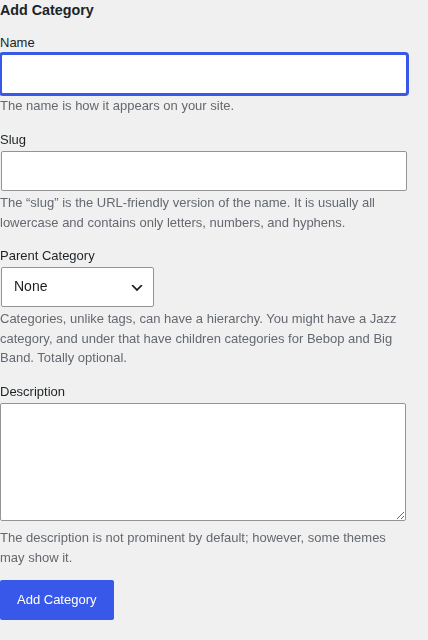
Do not select Add New Category or duplicate an existing pillar Page before the brief is approved. A category by itself does not create the complete public pillar experience.
Maintainer implementation workflow
- Confirm sitemap, label, slug, redirect, navigation, and SEO decisions in writing before mutation.
- Create and verify a fresh database plus
wp-contentrollback backup. - Inventory the six current pillar categories, hub Pages, Home discovery controls, header/mobile navigation, and category-query mappings.
- Add the category and a Draft hub Page using an approved existing pillar as the structural base; never overwrite a current pillar to make room.
- Bind the hub grid and Home discovery entry to the new category, update the approved navigation destinations, and preserve approved indexing settings.
- Assign only approved posts and preserve each post's title, slug, author, publication date, media, and unrelated taxonomy.
- Validate saved structure, read back the category/query mappings, then test the new hub and all previous pillars on desktop and mobile.
- Check navigation, keyboard behavior, empty state, pagination, SEO metadata, overflow, console errors, and rollback before requesting client approval.
Expected result
The approved pillar has one canonical category and hub route, correct dynamic content, intentional empty behavior when needed, and consistent discovery in the approved Home and navigation locations. Existing pillars continue to work.
Stop conditions
Do not implement the pillar when the label, slug, navigation position, content ownership, redirect impact, or approval is unclear. Do not publish a category archive as a substitute for the designed pillar hub, and do not hand-edit static article cards to imitate a category query.