Add a post to Things to Do
Use this guide to place an approved article in the main Things to Do listing. Edit the article under Posts and keep its existing editor.
Illustrated guide
Open the full-size English guide.
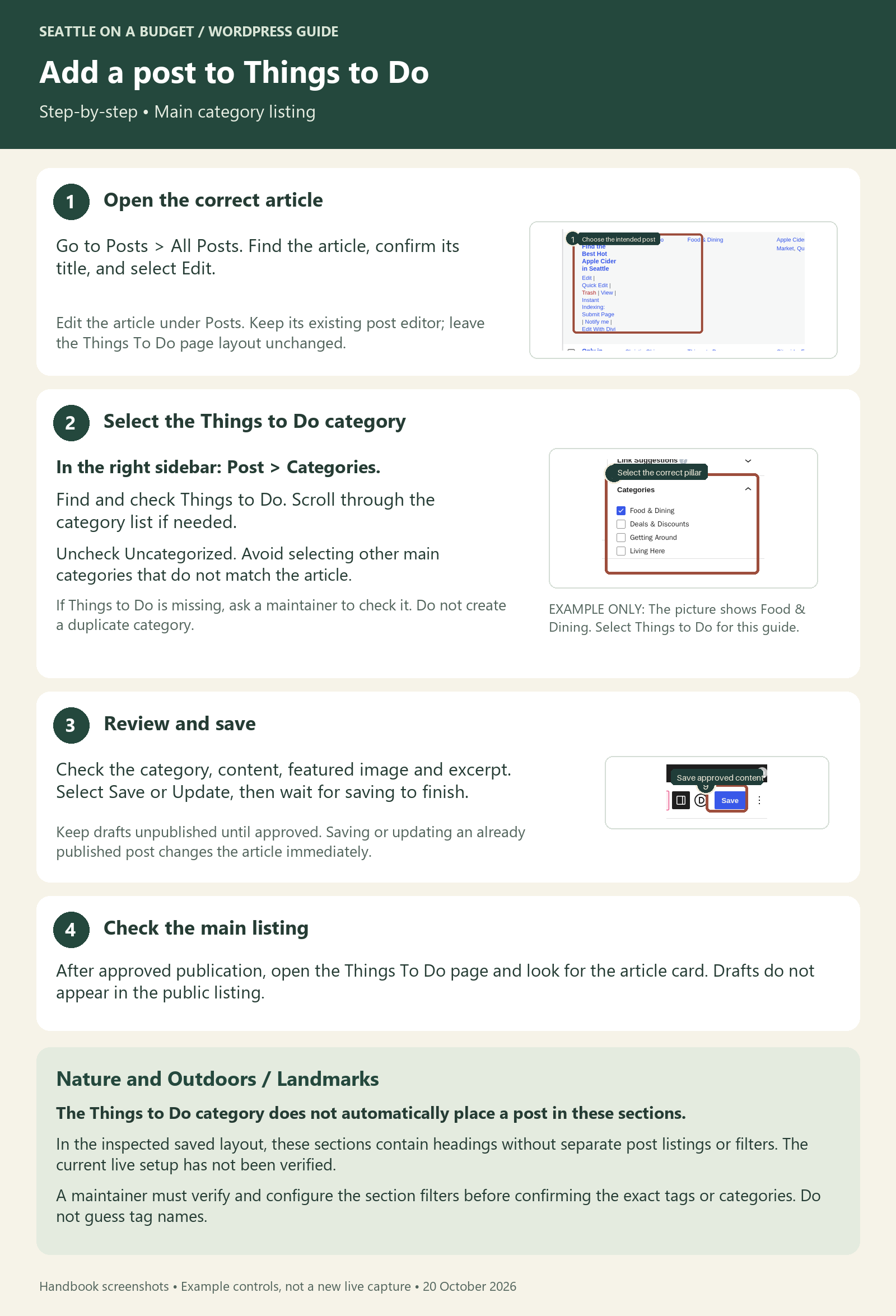
The screenshots show example controls. The Categories picture uses Food & Dining as its example; select Things to Do for this workflow.
Select the category and save
- Open Posts > All Posts, find the intended article, confirm its title, and select Edit.
- In the editor's right sidebar, open Post > Categories. Find and check Things to Do, scrolling in the category list if needed.
- Clear Uncategorized and avoid unrelated main categories. If Things to Do is missing, ask a maintainer to check the existing category rather than creating a duplicate.
- Review the article content, featured image and excerpt. Select Save or Update, as displayed, and wait for saving to finish.
- Keep drafts unpublished until approved. Saving an already published post changes it immediately.
- After approved publication, open the website's Things to Do page and check that the intended article card appears. Drafts do not appear in the public listing.
Nature and Outdoors and Landmarks
The main Things to Do category does not by itself assign a post to these two sections. The saved layout inspected for the illustrated guide contained headings without separate post listings or filters. That saved-layout observation is not a current live configuration audit.
A maintainer must verify the current section filters and confirm the exact category or tag names before promising section-specific placement. Do not create guessed tags expecting a heading to populate automatically.
If the article is missing
Confirm that the intended article is published, has the correct category, and has finished saving. Ask a maintainer to inspect the listing query or refresh the page cache if needed; do not type a replacement article card into the Page layout.
See Create or edit a blog post and Troubleshooting for the related workflows.
Illustrated guide prepared 20 October 2026. Screenshots are labeled examples.